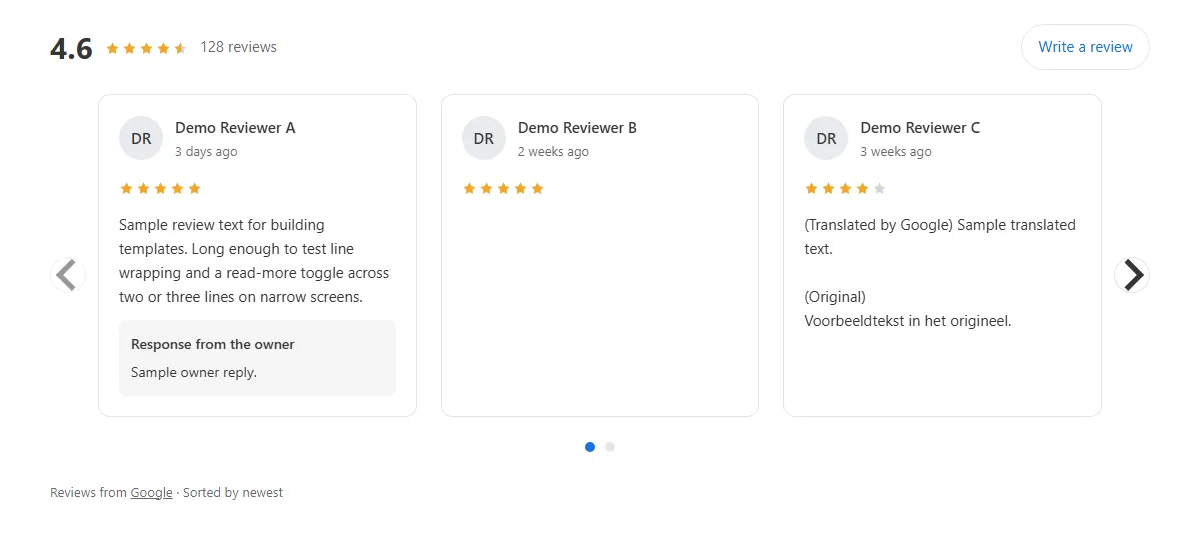
Build a review slider
The quickest start is the Telkaro: review carousel template (Templates). To build one yourself:
-
Add Bricks’ Nestable slider (Slider (nestable)).
-
Keep one slide and delete the others. Select that slide and enable Use query loop: post type Google reviews, order by Date, descending, for example 9 posts per page.
-
Inside the slide, build the card as described in Build your own review card.
-
In the slider’s settings, choose how many slides show at once and per breakpoint. The template uses 3 per view, 2 on tablet portrait and 1 on mobile portrait, moving one at a time, with arrows and pagination.
-
Set the slider height to auto so cards with long and short reviews line up, and use a gap between slides.
-
Add Google attribution below the slider, with Sorted by matching the loop.